To start and in preparation
Every ticket in its place.
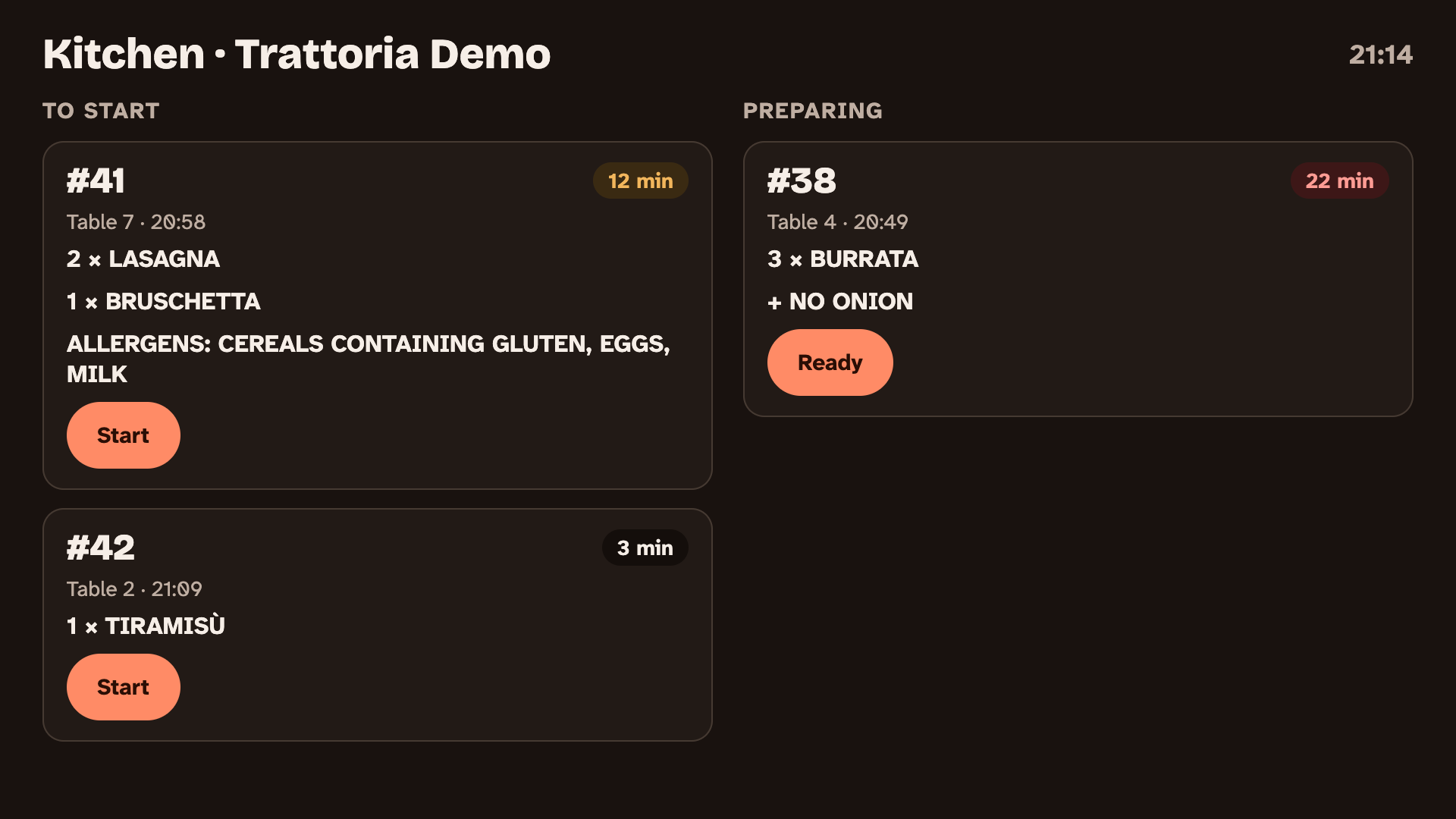
New tickets wait under “To start”; one tap moves them to “Preparing” and another marks them ready. If you make a mistake, you have 60 seconds to undo it.
A kitchen display system (KDS) shows the tickets on a screen instead of on paper. brigetto’s runs on any tablet or screen with a browser: large tickets, timers in amber and red, and allergens written in words.
Free during the launch. No card needed.
New tickets wait under “To start”; one tap moves them to “Preparing” and another marks them ready. If you make a mistake, you have 60 seconds to undo it.
You can see how long each ticket has been waiting from a distance, without reading numbers.
Kitchen, bar or whichever station you have, with or without a screen. If a ticket fails to print, the screen tells you.
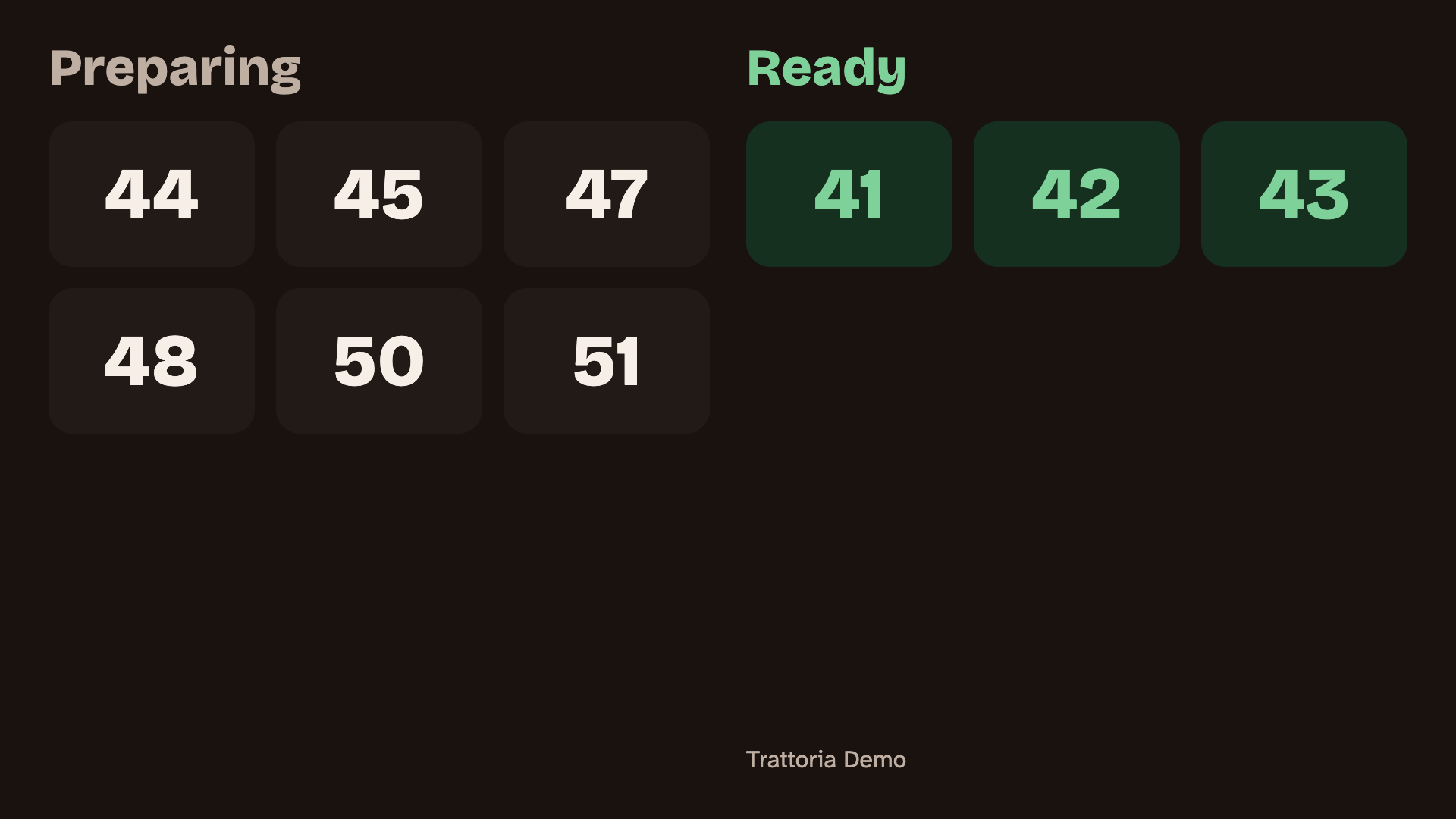
For fast food, cafés and fairs: numbers in preparation and ready, no names, on any screen.
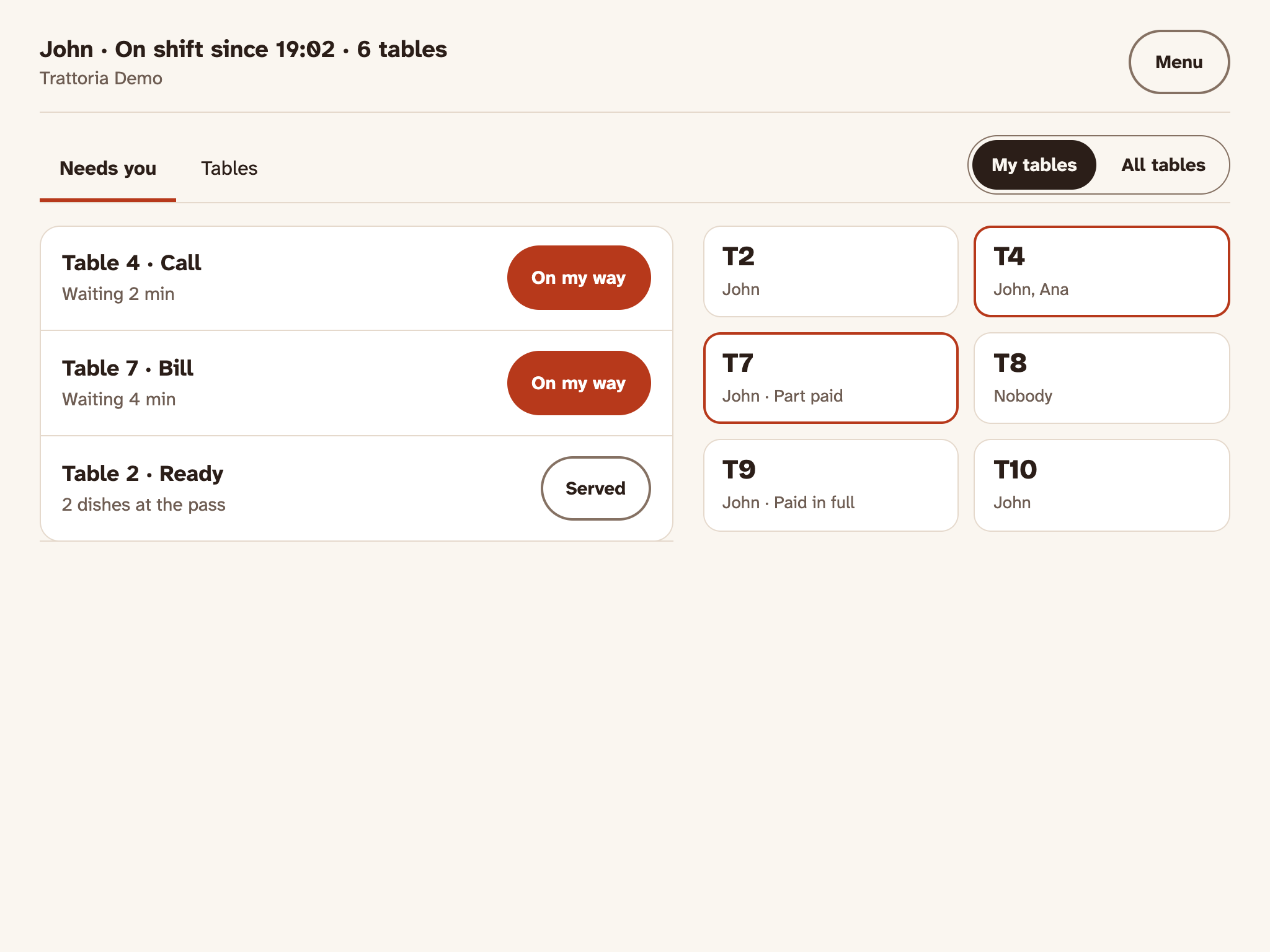
Their tablet shows the dishes that are ready with the name of whoever ordered them, the table calls and the requests for the bill.
Another question? Write to us.
Kitchen Display System: the kitchen screen that replaces or works alongside paper tickets.
No. Any tablet, computer or screen with a browser will do.
Yes. Each station can have a screen, a printer or both.
Status changes wait in a queue and are sent when the connection comes back.